Game night, any night
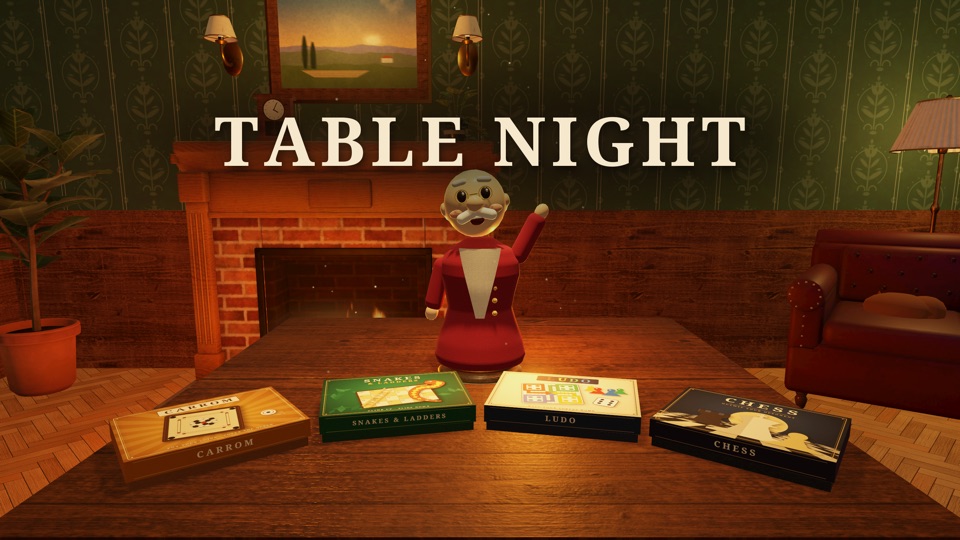
Pull up a chair. Carrom, Chess, Ludo and Snakes & Ladders are set out on a real-feeling table, with an opponent across from you who cheers, winces and plays fair. Coming soon to the Meta Horizon Store.
Four games
- Carrom — slide the striker, aim, hold for power and let go. A guide line shows where your coin will go.
- Chess — pick pieces up and set them down like real ones. Opponents from gentle to tough, with hints, puzzles and lessons.
- Ludo — throw the die and race home. Two to four players.
- Snakes & Ladders — four worlds, with ladders to climb and snakes that move.
Four rooms
A fireside lounge, a library with rain on the window, a garden under a pergola and a rooftop at dusk. Change rooms whenever you like.
Made to be easy
- Play sitting or standing, in one spot. Nothing moves around you.
- "How to play" shows each game's controls as short moving pictures.
- Undo a move, ask for a hint, or pick up a saved game later.
- Play the computer opponents, or pass the headset around the family.
- No ads, no accounts, no online play, and it works without the internet.
Details
| Headsets | Meta Quest 3 and Quest 3S |
|---|---|
| Controls | Touch controllers |
| Players | One player, or pass-and-play on one headset |
| Comfort | Comfortable: seated or standing, stationary |
| Language | English |
Help
The table is in the wrong place.
Hold the grip on the table's edge and move it, or press the Menu button and choose Recentre.
How do I learn a game's controls?
Open the folio on the table and choose How to play. It also appears the first time you open each game.
How do I leave or restart a game?
Press the Menu button on the left controller for the Paused card: Resume, Leave game, New game and Settings. Your game is saved when you leave.
Something else?
Email help@helpivy.com and tell us what happened. We usually reply within a few days.